Your clients tell their story. You get affidavit-ready facts.
Each client and witness gets a guided chat on their phone. An AI assistant asks for first-hand detail — what they saw, heard and did — and organises it into facts, a timeline, risks and an affidavit draft where every paragraph links back to their own words.
No monthly fee on Pay As You Go · A$35 per matter, plus GST/VAT/sales tax where applicable · Unlimited clients and witnesses
Key uses
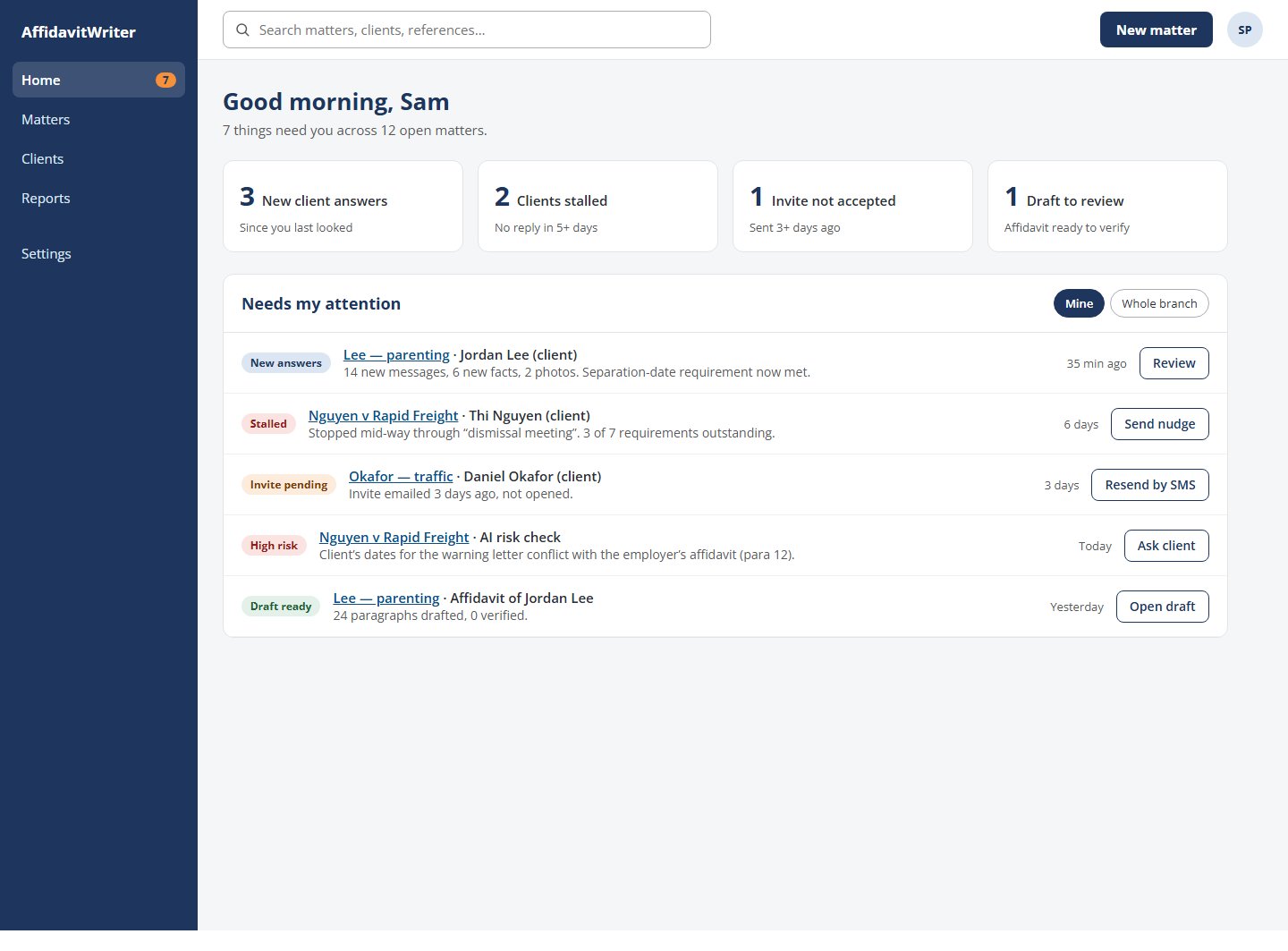
Your client’s story is gathered as it happens, organised before you open the file, and added to by the client themselves.
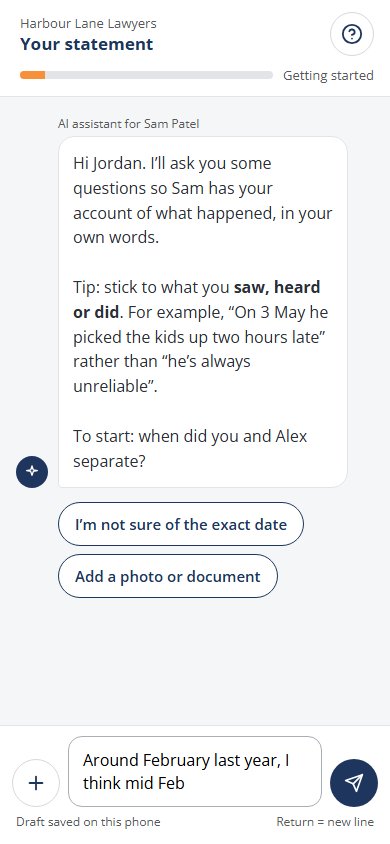
Capture it as it happens
Clients write down what happened while it’s fresh, not weeks later when they come in to see you. Dates, words and details are recorded while they still remember them, so nothing gets forgotten.
Arrive with the facts already collated
Facts, a timeline and key points are organised before you open the file. Your time goes on the matter, not on taking down the story from the start.
Let clients contribute to their own file
Clients add notes, photos and documents whenever they think of something, without a phone call or an appointment. You review everything they send in one place.
How it works
Clients usually remember their story in fragments — over calls, emails and appointments. AffidavitWriter collects it in one place, in their own words, before it reaches your desk.
Set up the matter
Add a short brief, the angles you are pursuing and, if there is one, the other side’s affidavit. Then invite your client and any witnesses by email or SMS.
Start from a template for family, employment, traffic and other common matter types.
Clients chat in their own time
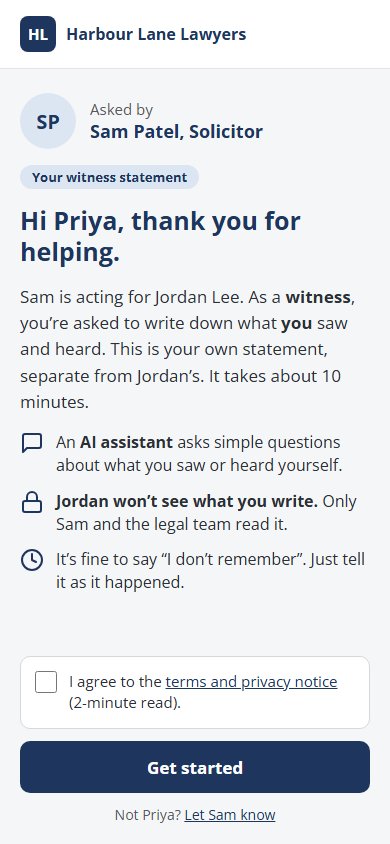
One link and a one-time code — no app, no password. The AI assistant asks plain-English follow-up questions until every angle has the facts it needs.
They can add photos and documents, stop any time and come back later. Gentle reminders go out if they stall.
Review and draft
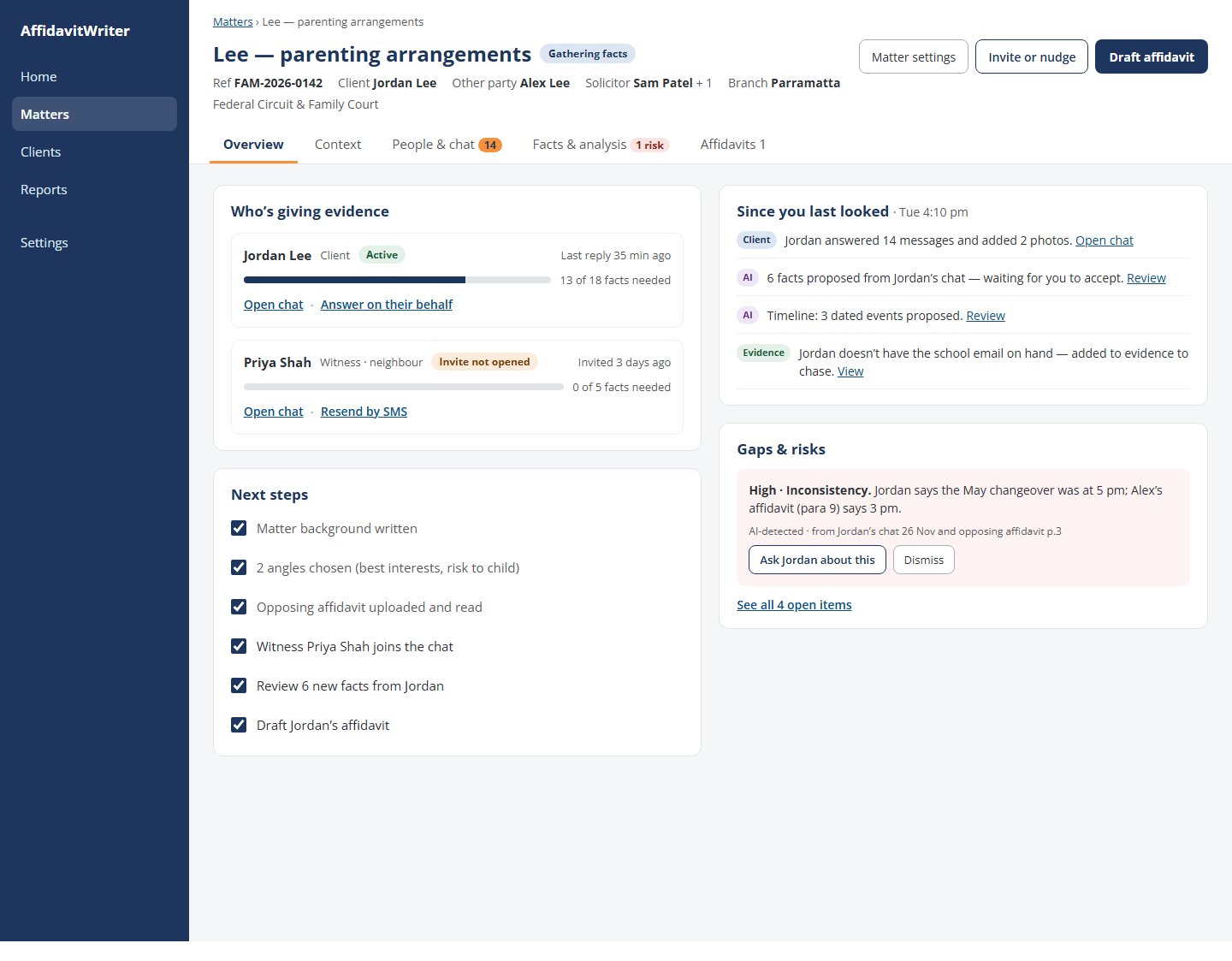
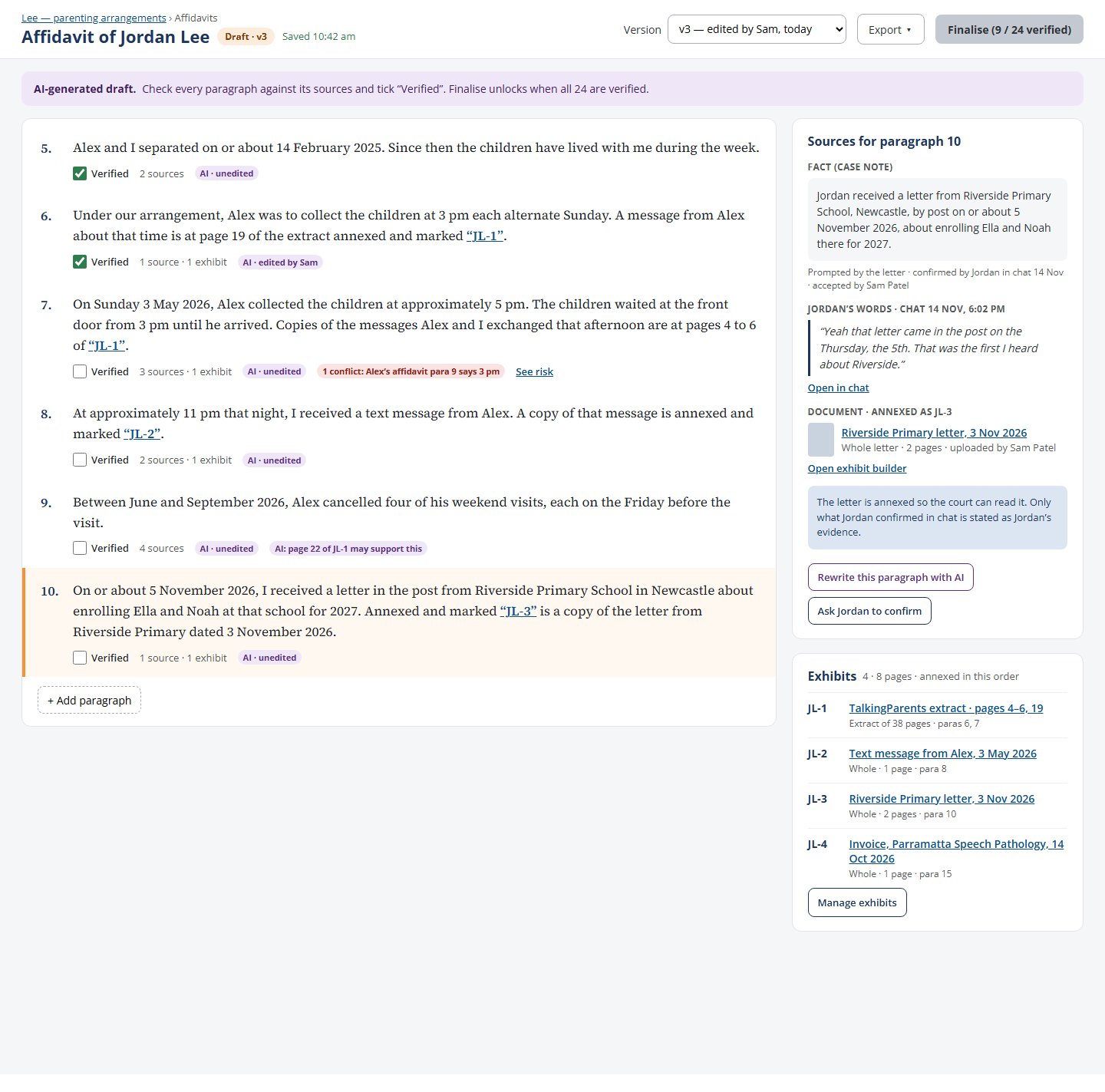
Facts, timeline entries, key points and risks arrive as proposals you accept, edit or reject. Generate an affidavit draft per person and verify each paragraph against its source.
Export to Word or PDF in your court’s format once you have finalised it.
Everything a matter file needs, in one place
From the first conversation to an affidavit draft you can verify paragraph by paragraph.
Facts, timeline and risks — organised as they arrive
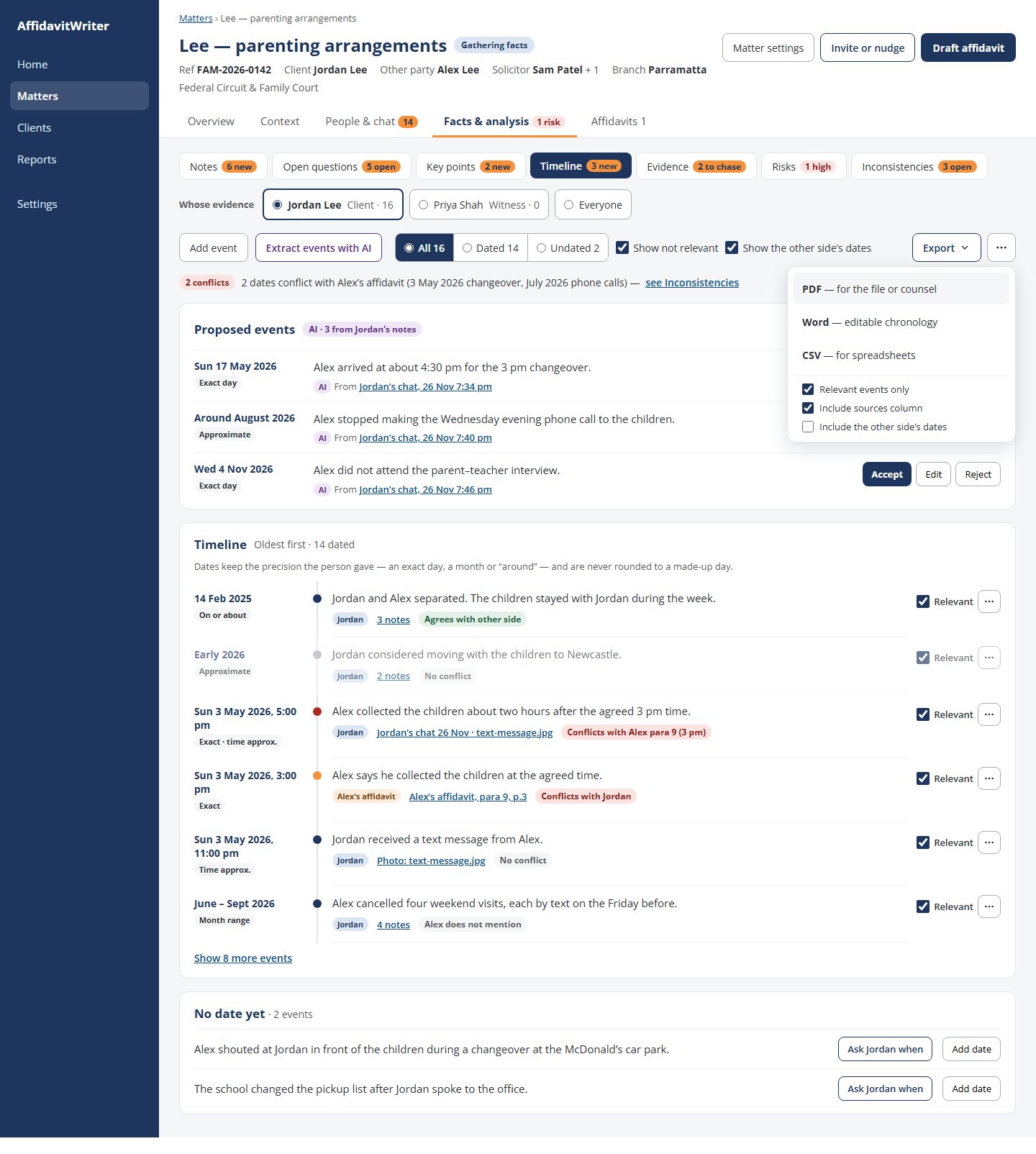
Facts, timeline and key points
Statements are pulled from the chat into a dated timeline and a curated list of key points, each linked to the exact message it came from.
Angles, covered at the same time
Record each legal approach you are running. The chat gathers the facts every angle needs in one conversation, plus extra detail so you can change direction without re-interviewing.
Risk register
Gaps and inconsistencies are flagged for solicitors only. One click turns a risk into a carefully worded follow-up question in the client’s chat.
Evidence, and answers to the other side
Guided client chat
A mobile-first chat that asks what the person saw, heard and did. It keeps asking until there is enough detail — and always says it is an AI assistant working for their solicitor.
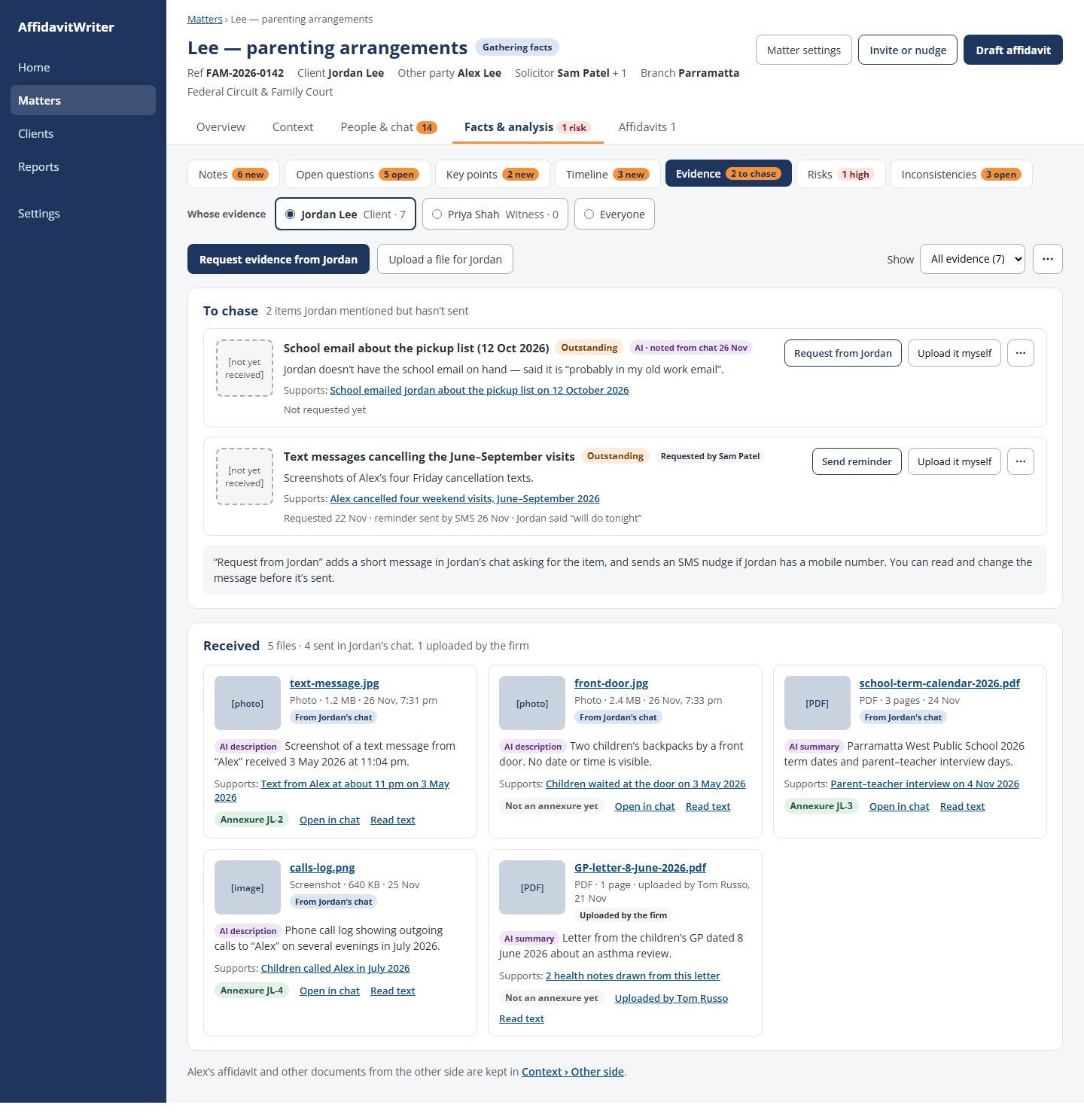
Evidence register
Clients attach photos, PDFs and documents as they go. Anything they mention but don’t have on hand is listed as outstanding evidence.
Response affidavits
Upload the other side’s affidavit or documents. We extract the text, draft a summary and the chat asks your client about each specific claim.
Fits the way your firm works
Witnesses, kept separate
Invite any number of witnesses. Each person has their own chat and their own affidavit — one person’s evidence is never mixed into another’s.
Branches and roles
Head office sees every branch; branch staff see their own matters. Admin, Solicitor and Paralegal roles, with one primary solicitor per matter.
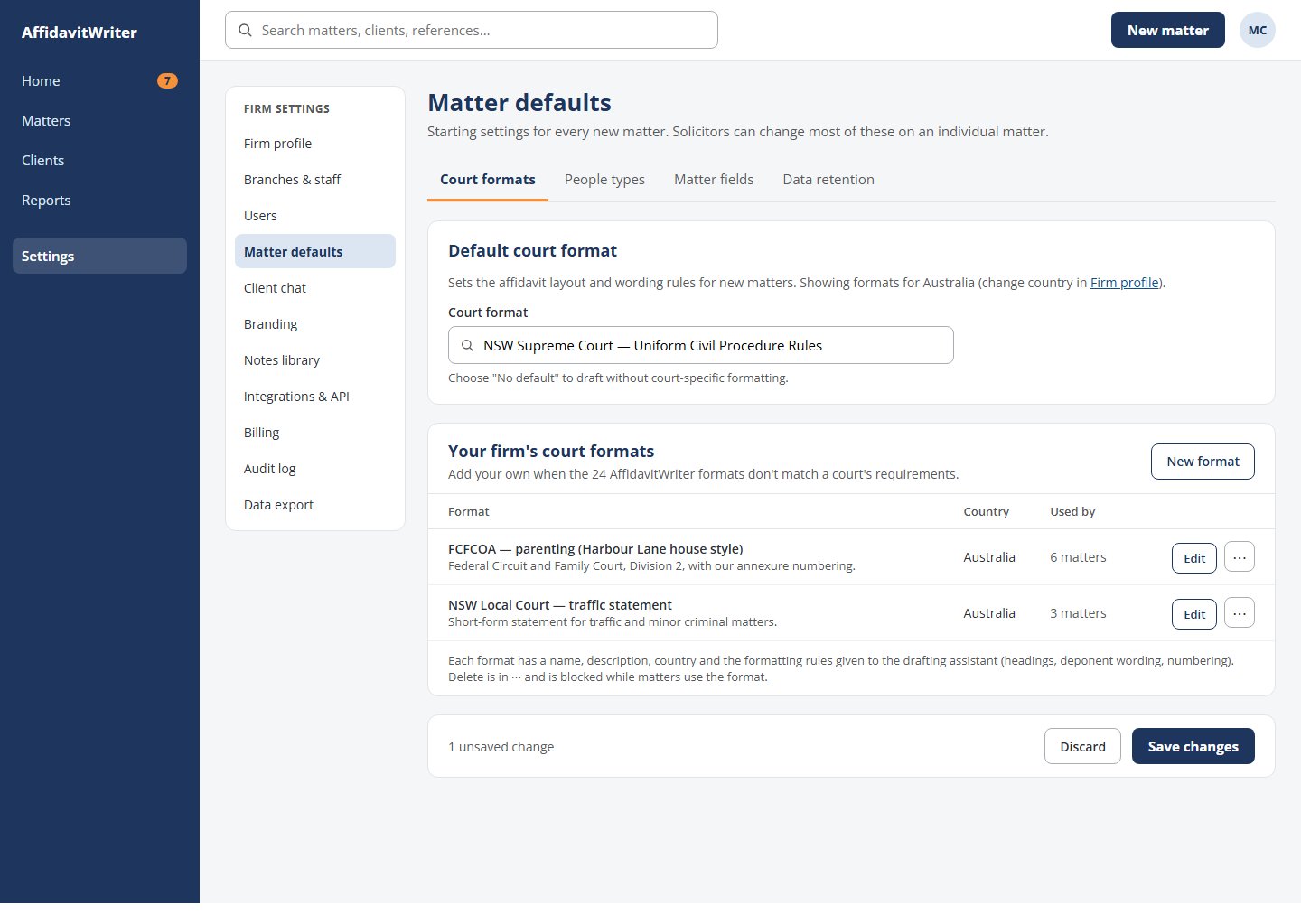
Your court’s format
Built-in formats for the Federal Court of Australia, the NSW Supreme Court and the VIC Magistrates’ Court. Working in another court or country? Add your court’s format — headings, deponent wording and numbering — and use it on any matter.
Fits your practice
Your firm’s branding on client screens, your own question library, reminders by SMS or email, Clio connection, and an API with webhooks.
AI that collects evidence — and stays out of the merits
These rules are built into the product. Firms can tailor tone and questions, but they can't switch these off.
- First-hand facts only The assistant draws out what the person personally saw, heard, did or received — and gently pushes back on opinion, speculation and labels.
- Never predicts outcomes It will not say whether a claim will succeed, however the question is asked, and it does not give legal advice.
- Always discloses it is an AI Every client screen, invite and reminder says the person is chatting with an AI assistant working for their solicitor.
- Every paragraph traced to its source Each affidavit paragraph links to the notes and chat messages it came from, so you can check the wording before you finalise.
- Only this matter, only this person The assistant only sees this matter’s brief and this person’s own conversation — never another client’s or another firm’s data.
Example: turning opinion into evidence
John was a terrible manager.
On 14 March he shouted "You're incompetent" at me in front of about ten staff.
On 14 March 2026, John shouted at me in front of approximately ten staff members, saying, "You're incompetent."
Source: client's chat, message 31Your data, your region
Matter data, files and AI processing are kept in Australia (Sydney). UK, US and EU regions are coming soon.
Two-step sign-in for everyone
Staff, clients and witnesses all confirm a code at every sign-in.
Complete audit trail
Who did what and when — staff, clients and AI — across every matter.
Your retention rules
Set how long closed matters are kept. We warn you before anything is deleted.
Pay per matter, not per seat
Each matter is charged once, in the month it's opened. Unlimited staff, clients and witnesses. Shown in Australian dollars (AUD); other currencies are coming soon. Prices exclude GST, added where applicable.
Pay As You Go
A$35 per matter
No monthly fee. Pay only for the matters you open.
Professional
A$299 per month
20 matters included each month, then A$18 per matter.
Enterprise
Custom
High-volume or unlimited matters, negotiated for your firm.
Not working with a lawyer?
AffidavitWriter Self-serve helps people preparing their own affidavit put their facts in order and produce a draft. It doesn’t give legal advice or predict outcomes, and no solicitor reviews the draft — we recommend getting legal advice before you sign or file anything.
Questions firms ask us
Does the AI decide what goes in the affidavit?
No. The AI asks follow-up questions and proposes facts, timeline entries, key points and risks for you to accept, edit or reject. A solicitor generates the draft, checks each paragraph against its sources and finalises it. Paralegals can work on notes but can't finalise affidavits.
Will the AI ever tell my client whether they will win?
No. Outcome predictions and legal advice are blocked in the product itself, not just discouraged in wording. If a client asks, the assistant tells them it is a question for their solicitor.
Can people use it without a lawyer?
A firm’s clients and witnesses only join by invitation from that firm. People without a lawyer can use AffidavitWriter Self-serve, a separate, restricted version: it collects their facts and produces a draft affidavit that no solicitor has reviewed, with a clear recommendation to get legal advice.
Do my clients need to download an app or remember a password?
No. They open the link from their email or text message and confirm a one-time code. It works in any modern phone or computer browser.
Can several witnesses give evidence on the same matter?
Yes. Invite as many as you need. Each witness has their own conversation and their own affidavit, kept separate from the client’s.
Which courts and countries do you support?
AffidavitWriter is built for law firms in common-law jurisdictions. Built-in court formats today are the Federal Court of Australia, the NSW Supreme Court and the VIC Magistrates’ Court. Firm admins can add their own court’s format for any other court or country, and choose it per firm or per matter.
Where is our data stored, and is it used to train AI?
In Australia (Sydney). UK, US and EU regions are coming soon, and firms will choose their region when they sign up. Matter data, files and AI processing stay in that region, and your data is never used to train AI models. See the Security page for our sub-processors.
What if our firm has several offices?
Matters can belong to a branch. Branch staff see their own branch’s matters and head office sees everything. Firms without branches simply use one flat list.
Can we get all our data out, or have it deleted?
Yes. Admins can export firm or matter data at any time, set a retention period for closed matters, and ask us to delete everything when you leave.
Do you offer a trial or custom plans?
Pay As You Go has no monthly fee, so you can try it on a single real matter. For larger firms we tailor Enterprise plans — book a demo to talk it through.
See it on one of your own matter types
A 30-minute online walkthrough with family, employment or traffic examples — or bring your own. Prefer email? hello@affidavitwriter.com.au